
PBR Material System: Give Your 3D Models a Realistic Appearance
Ertuğrul Çetrefli
03 Feb 2026
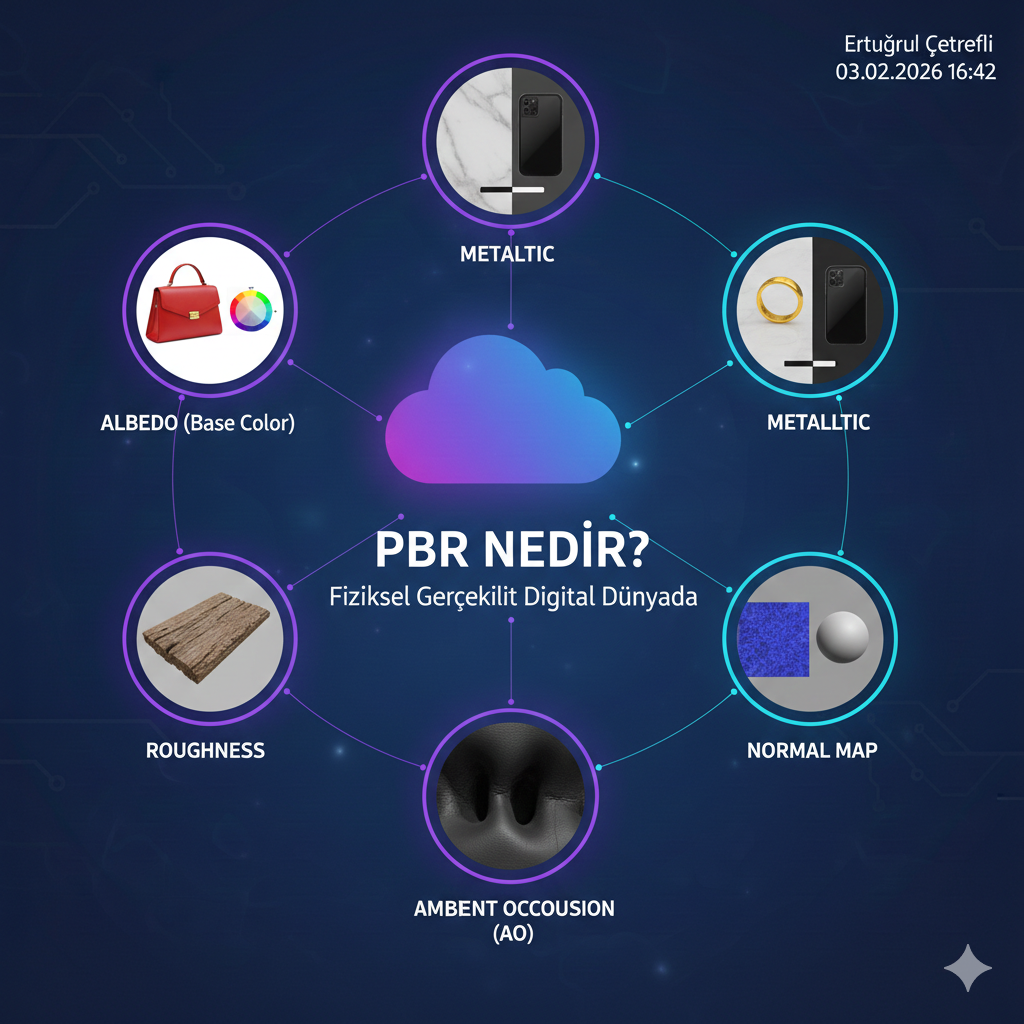
What Is PBR?
PBR (Physically Based Rendering) is a rendering approach that calculates how 3D surfaces interact with light based on physics rules. Unlike traditional methods, PBR materials look consistent and realistic under different lighting conditions.
This is crucial for e-commerce: a product's 3D model must look correct in both daylight and artificial lighting. PBR guarantees this.
PBR Material Maps
Albedo (Base Color)
Defines the base color of the surface. Contains no shadows or reflections, only pure color information. The albedo map of a red leather bag consists of flat red tones.
Metallic
Determines whether the surface is metallic or dielectric (non-metal). A black-and-white map where white is fully metal, black is fully non-metal. A gold ring has a fully white metallic map. A plastic case has a fully black one.
Roughness
Defines the surface roughness. In the black-and-white map, white means rough (matte), black means smooth (glossy). Polished marble has low roughness; raw wood has high roughness.
Normal Map
Adds surface detail without adding polygons. A blue-purple toned map. Leather texture, fabric weave, or engraved patterns are created with normal maps, adding visual richness without increasing polygon count.
Ambient Occlusion (AO)
Defines natural shadows in crevices and corners. Creates darker shadows where edges meet, providing a sense of depth.
PBR in E-Commerce
PBR settings for different product categories:
Metal products (watches, jewelry): High metallic, low roughness. Reflections should be clear and sharp.
Fabric products (clothing, furniture): Zero metallic, high roughness. Fabric texture should be added via normal map.
Plastic products (electronics): Zero metallic, medium roughness. Low roughness for glossy plastic.
PBR Material Creation Process
- Gather reference photos - the real product under different lighting
- Create the albedo map - pure color, no shadows
- Set the metallic map - usually uniform black or white
- Adjust the roughness map - based on reference photos
- Bake the normal map - transfer detail from high-poly to low-poly
- Test under different lighting conditions
Conclusion
The PBR material system ensures your 3D models look consistent and realistic in any environment. GLTF and GLB formats natively support PBR materials, meaning seamless operation on the web.
Stay updated with new articles
Get weekly updates about 3D modeling, web technologies and more.
No spam. Unsubscribe anytime.
Ertuğrul Çetrefli
3DCloud ekibinden. 3D modelleme ve web teknolojileri konusunda icerikler uretiyorum.


